Change app text and add languages
Reword any text in the app, from button labels to notification messages, and translate it into other languages.
Every piece of text in the app, such as button labels, screen titles, empty states and messages, can be changed under Text and languages.
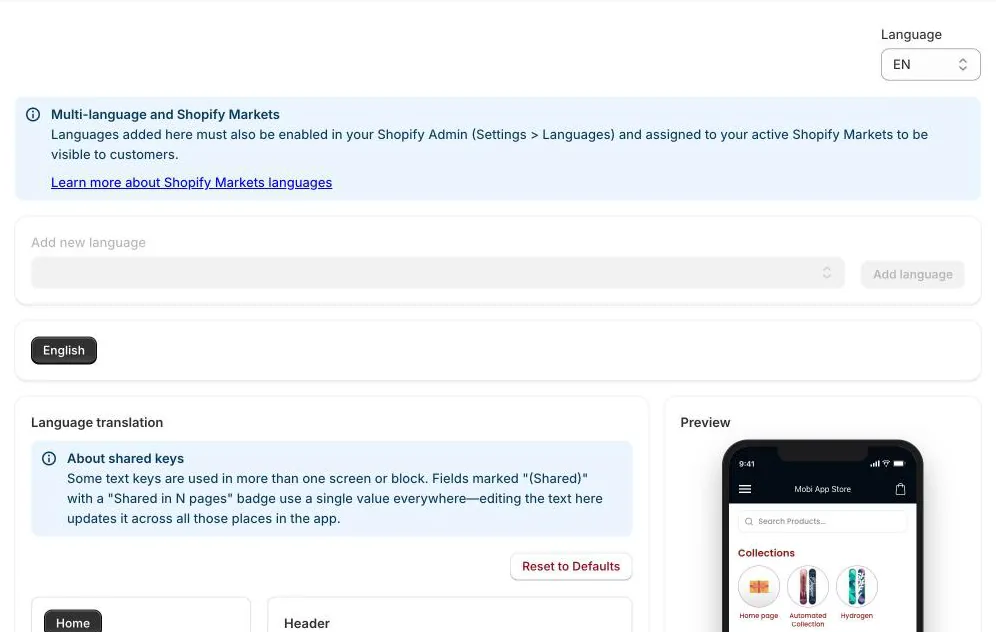
Edit the app's text
- Pick the language you want to edit (English is always there).
- Choose a screen from the list: Home, Search, Navigation, Collections, Product Detail, Cart, Wishlist, Orders, Login, Account and more.
- Change the text in the fields. The preview on the right shows where it appears.
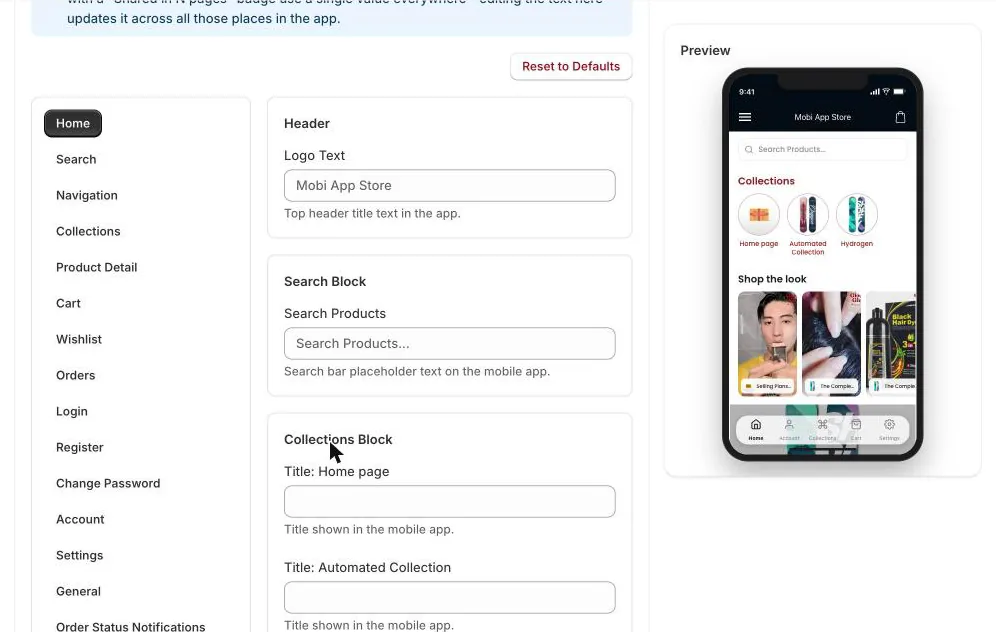
Some text is shared by several screens. Those fields are marked (Shared) with a Shared in N pages badge, and changing one updates it everywhere. Reset to Defaults removes your custom text for the selected language.
Add a language
- Under Add new language, choose a language and click Add language.
- Our default translations are filled in. Review and change any text you want.
- Make sure the language is also enabled in your Shopify admin (Settings → Languages) and assigned to your active Shopify Markets, or customers won't see it.
Customers choose their language in the app's Settings tab.
TipThe Order Status Notifications, Abandoned Cart Notification and Notification Permission Screen sections hold the text of your automatic push notifications and of the screen that asks customers to turn notifications on.
Next articleShow Judge.me reviews and set up product pages →