Send push notifications
Connect Firebase once, then send promotions that open a product or collection, and turn on automatic order-status updates and abandoned cart reminders.
Push notifications reach customers who installed your app and allowed notifications. You can send as many as you like from Push notifications in the app's menu.
Send a notification
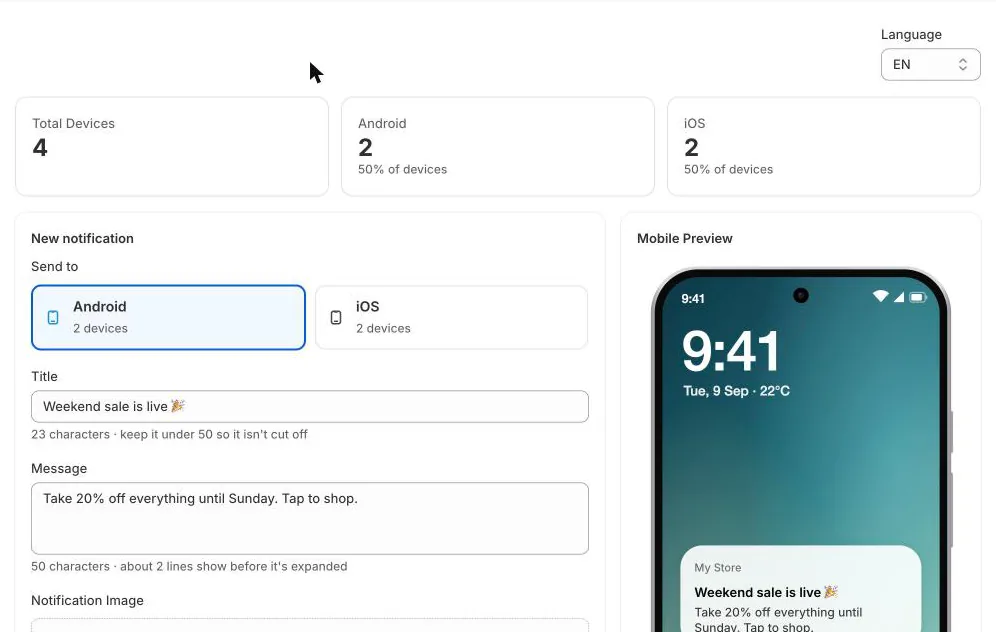
- Under Send to, choose Android or iOS. Each option shows how many devices will receive it.
- Write a Title (keep it under 50 characters so it isn't cut off) and a Message (about two lines show before it's expanded).
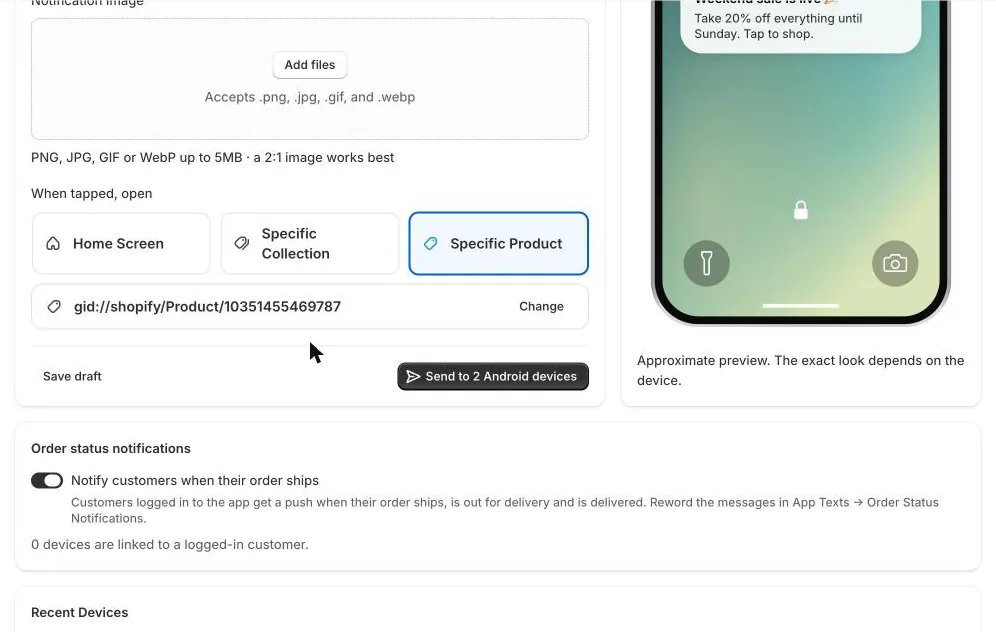
- Optionally add a Notification Image: PNG, JPG, GIF or WebP up to 5MB, ideally 2:1. Images show on Android only.
- Under When tapped, open, choose Home Screen, Specific Collection or Specific Product, and pick the collection or product.
- Click Send to N devices and confirm. Sending can't be undone. Not ready yet? Click Save draft.
Order status notifications
With Notify customers when their order ships on, customers who are logged in to the app get a push when their order ships, when it's out for delivery and when it's delivered. That includes orders they placed on your website. Tapping the notification opens their orders.
To change the wording, go to Text and languages → Order Status Notifications. Notifications are sent in each device's language.
Abandoned cart reminders
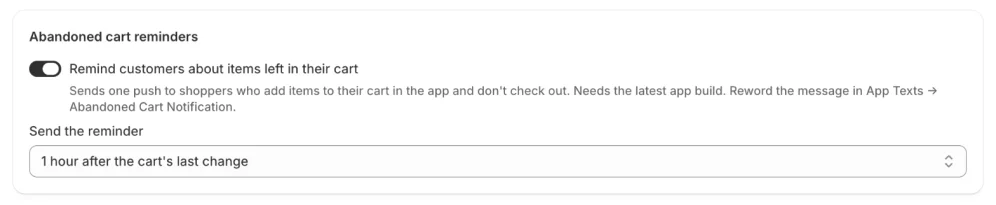
Turn on Remind customers about items left in their cart, then choose when the reminder goes out: 1, 4, 12 or 24 hours after the cart last changed. A shopper who adds something to their cart in the app and doesn't check out then gets one push, for example "Blue Hoodie and 2 more are still waiting for you." Tapping it opens their cart.
- Each cart gets one reminder at most, and each phone gets one every 3 days at most, however many carts it leaves.
- No reminder is sent if the cart was checked out or emptied in the meantime, or if the shopper turned notifications off.
- Carts started with Buy Now aren't reminded, because the shopper went straight to checkout.
- Shoppers don't need to be logged in. If they are, the reminder also reaches their other phones.
Below the switch you can see how many reminders were sent in the last 30 days and how many of those carts were then ordered. To change the wording, go to Text and languages → Abandoned Cart Notification. In the message, {{product}} is the first item in the cart and {{count}} is how many other items it holds.
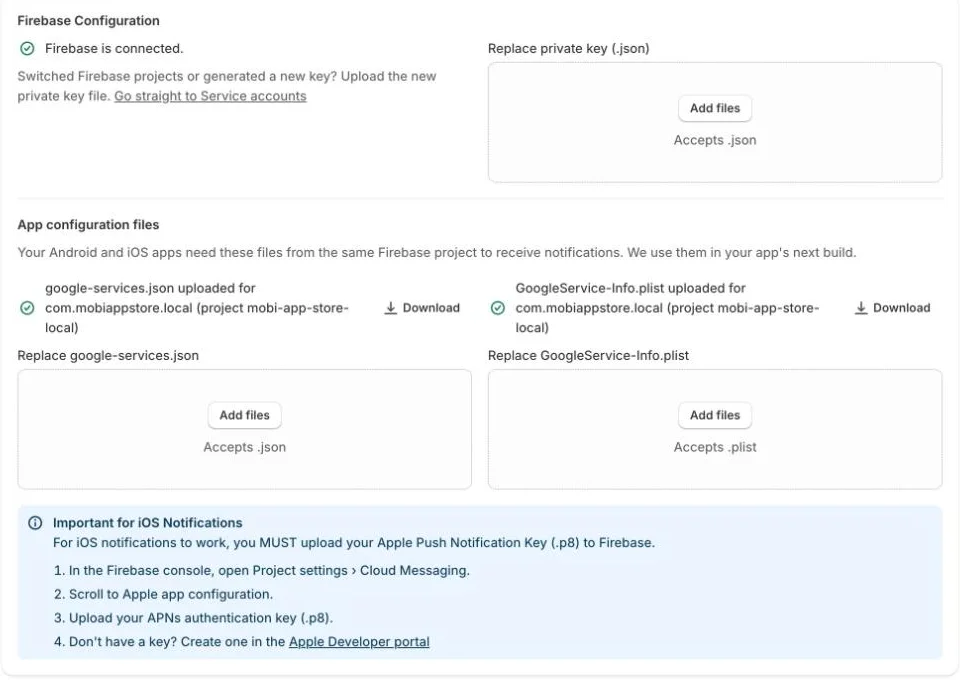
Connect Firebase (one-time setup)
Notifications are delivered by Firebase Cloud Messaging, Google's free messaging service, so you connect your own Firebase project once before you can send. It takes about 15 minutes; see Set up Firebase for push notifications for a step-by-step guide.